Storage and Databases in AWS
Full Stack developer lets bring your idea to life.
Introduction
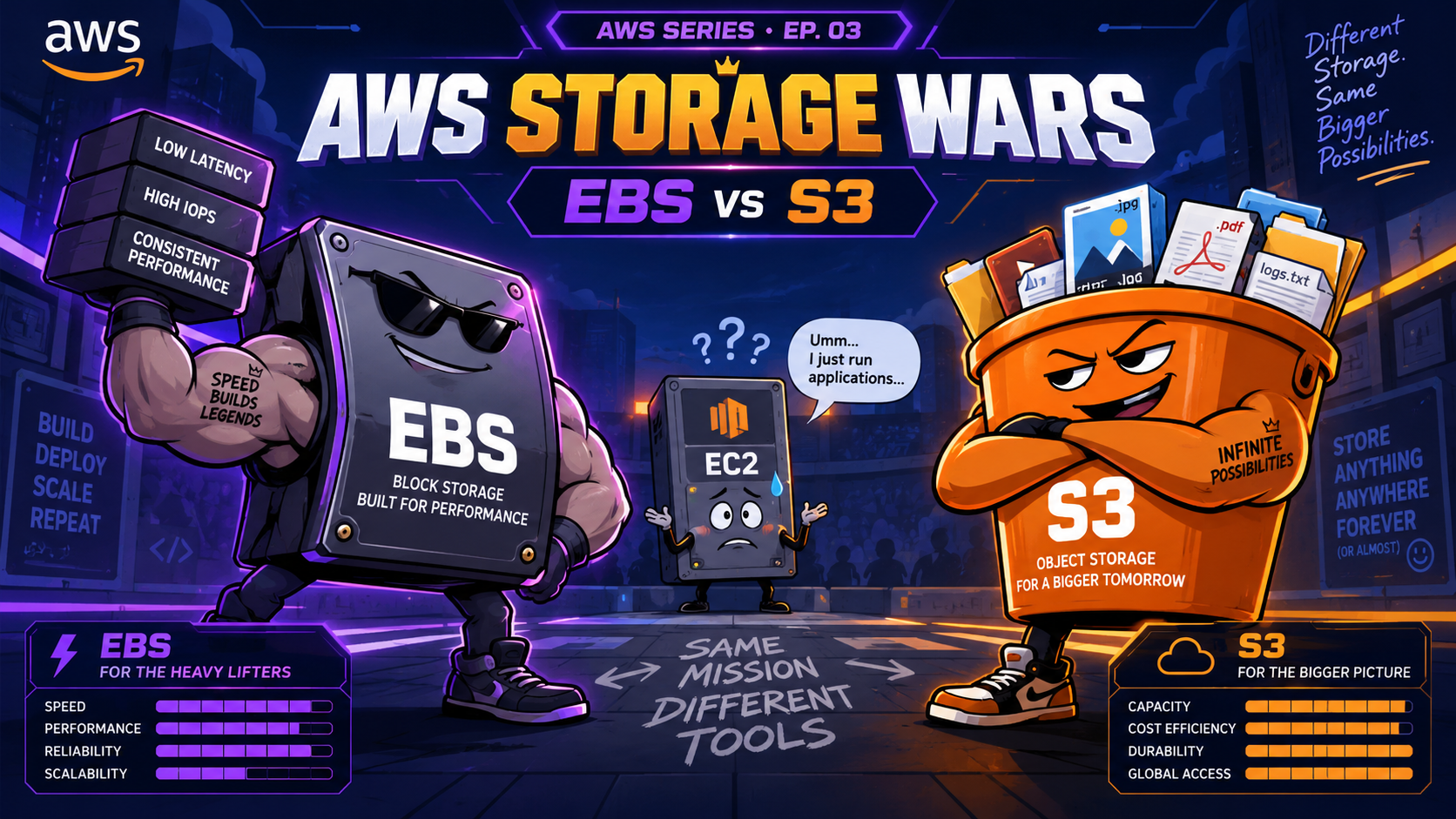
AWS has two types of storage Block Storage and Object Storage. Block Storage divides the data into fixed size chunks and then store it. Object storage treats each file as a single entity. For example S3 is Object Storage and Amazon EBS is block storage more on them later.
So if there is a 1GB file , the block storage will divide it into equal fix parts and if we change it we can change in the specific part where we want instead of changing the whole file. But this wont be possible in case of block storage.
So what we usually follow is for data which is write heavy is stored in block storage. But the data which is read heavy and modified rarely
When we were running an EC2 , we were using EC2 Instance store , think of it like the internal storage of your laptop.
lets say if you have connected your laptop to an external data storage device , in AWS we use EBS for that.
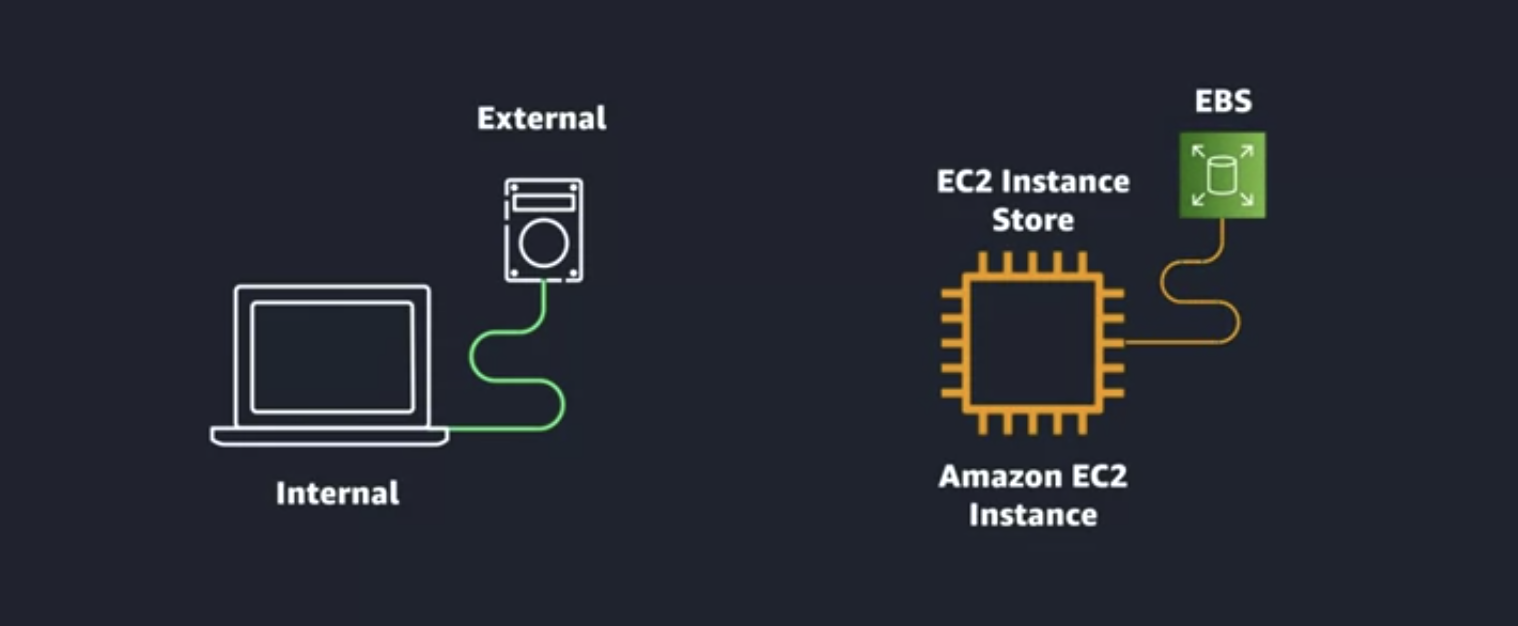
Using an EBS you can attach it to another or even multiple EC2s at the same time. The thing it it is seperate from your instance just like a external storage device. This concept can also be referred as Persistent and non persistent storage.
EBS is of two types , you probably have heard those two types which are SSD and HDD.
Data Backup
To have data backup to prevent any kind of loss in case of some event we take EBC snapshots incrementally which are stored redundantly.
Important things to know:
The first snapshot of a volume copies all used blocks.
Later snapshots are incremental — only blocks changed since the previous snapshot are backed up.
Even though snapshots are incremental internally, you can delete an older snapshot without breaking later ones; AWS manages the dependencies.
You can restore a snapshot by creating a new EBS volume from it.
Snapshots can be copied to another AWS Region for disaster recovery.
You can also copy/share snapshots across AWS accounts, subject to permissions and encryption rules.
Scaling EBS Volumes
You can scale the volumes using the two main types of scaling horizontal and vertical i.e Increase the size of the volume (the max size for an EBS volume is 16 TB ) or Attach multiple volumes to the instance. Some types of volumes only can be connected at one EC2. So the things we can need at scale we need to think something else.
Amazon S3
S3 follows object storage , so it has all the characteristics of object storage. Here our storage is not tied to the compute and we have no storage limit as well. Although we have a max size for a single object which is 5TB. S3 is distributed computing means our data is stored in mutliple facilities within your specificed AWS region. Thats why we have 99.99% availiability.
Buckets
To store anything inside S3 we need to create a bucket and then we can upload our objects inside that bucket. Buckets are region specific. You can create folders inside your buckets as well. Each bucket name should be unique accross all regions and it should be DNS rechable name.
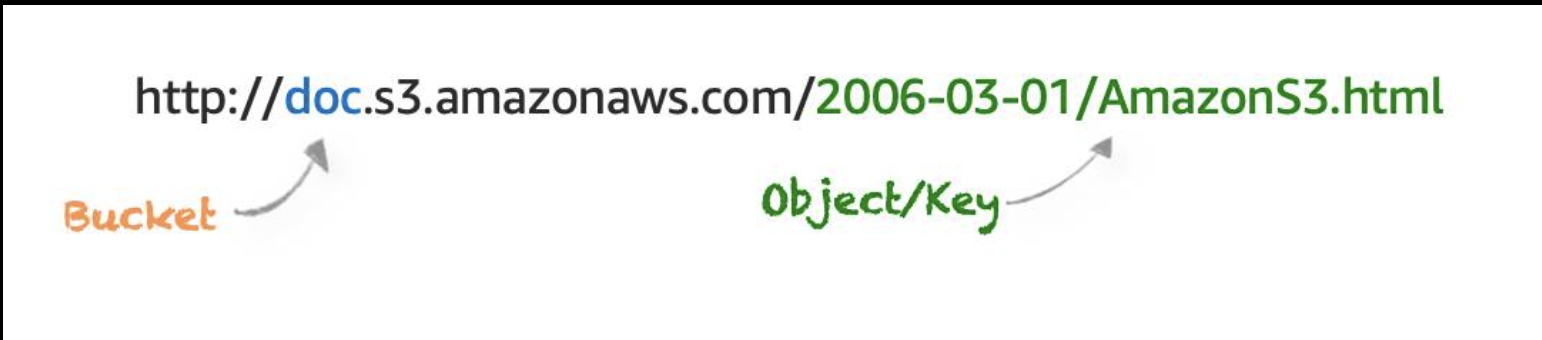
Search S3 , give it a name and following the default options create a bucket. And then upload something inside and once you click the uploaded object you will see a link to access it and when you click it , it will not open that brings use to our next topic.
Privacy in S3
Everything in an S3 is private by default. Like IAM policies we have bucket policies which attach to buckets and set permissions like who and what can be done to your bucket.
Usecases of S3
Backup and storage
Media hosting
Software delivery
Data lakes
Static websites
Static content
Encryption
Amazon S3 reinforces encryption in transit (as it travels to and from Amazon S3) and at rest. To protect data at rest, you can use:
Server-side encryption: This allows Amazon S3 to encrypt your object before saving it on disks in its data centers and then decrypt it when you download the objects.
Client-side encryption: Encrypt your data client-side and upload the encrypted data to Amazon S3. In this case, you manage the encryption process, the encryption keys, and all related tools.
To encrypt in transit, you can use client-side encryption or Secure Sockets Layer (SSL).
Versioning
S3 maintains a version id for each object uploaded. Versioning is not enabled by default. When you delete something it is not actually deleted AWS puts a marker on it that it was tried to be deleted.
S3 Storage Class
Amazon S3 Standard: This is considered general purpose storage for cloud applications
Amazon S3 Intelligent-Tiering: This tier is useful if your data has unknown or changing access patterns. S3 Intelligent-Tiering stores objects in two tiers, a frequent access tier and an infrequent access tier.
Amazon S3 Standard-Infrequent Access (S3 Standard-IA): S3 Standard-IA is for data that is accessed less frequently, but requires rapid access when needed.
Amazon S3 One Zone-Infrequent Access (S3 One Zone-IA): Unlike other S3 storage classes which store data in a minimum of three Availability Zones (AZs), S3 One Zone-IA stores data in a single AZ and costs 20% less than S3 Standard-IA.
Amazon S3 Glacier Instant Retrieval: Amazon S3 Glacier Instant Retrieval is an archive storage class that delivers the lowest-cost storage for long-lived data that is rarely accessed and requires retrieval in milliseconds.
**Amazon S3 Glacier Flexible Retrieval:**S3 Glacier Flexible Retrieval delivers low-cost storage, up to 10% lower cost (than S3 Glacier Instant Retrieval), for archive data that is accessed 1—2 times per year and is retrieved asynchronously.
Amazon S3 Glacier Deep Archive: S3 Glacier Deep Archive is Amazon S3’s lowest-cost storage class and supports long-term retention and digital preservation for data that may be accessed once or twice in a year.
**Amazon S3 Outposts:**Amazon S3 on Outposts delivers object storage to your on-premises AWS Outposts environment.
Some Important Information
- If you are using AWS Lambda you have to use S3 as EBS cannot be attached to Lambda functions.
This is all about AWS Storage we will continue in the next article talking about relational database services and stuff